Your contractor files the EICR
The report is filed against the property and becomes part of its TESC electrical safety record.

For landlords, portfolio owners, letting agents and property managers. Keep filed EICRs, current electrical safety status and later remedial updates connected to the property — rather than scattered across inboxes and folders.
Keep filed EICRs and later electrical safety updates attached to the property they belong to.
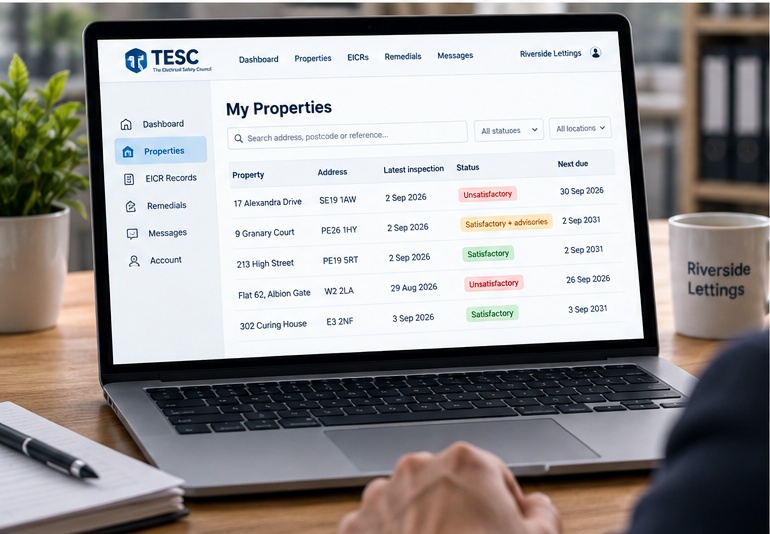
Quickly see satisfactory records, advisories and unresolved unsatisfactory outcomes.
Keep remedial activity and later satisfactory outcomes in the same property history.
Access multiple authorised properties from one TESC account.
The filed report, current status and later updates stay connected to the property, creating a clearer electrical safety history for owners, agents and other authorised users.
The report is filed against the property and becomes part of its TESC electrical safety record.
Use the 6-digit property PIN supplied by the contractor to create your account and gain immediate access.
The property record keeps the filed result, relevant advisories and remedial information together.
Later work and satisfactory EICRs remain connected to the same property history.
Across a portfolio, certificates, remedial quotations and later reports can become fragmented between contractors, inboxes and management folders. TESC gives authorised users a consistent property-by-property record.
A persistent property record means the latest electrical safety position is not dependent on somebody knowing where the last PDF was saved.
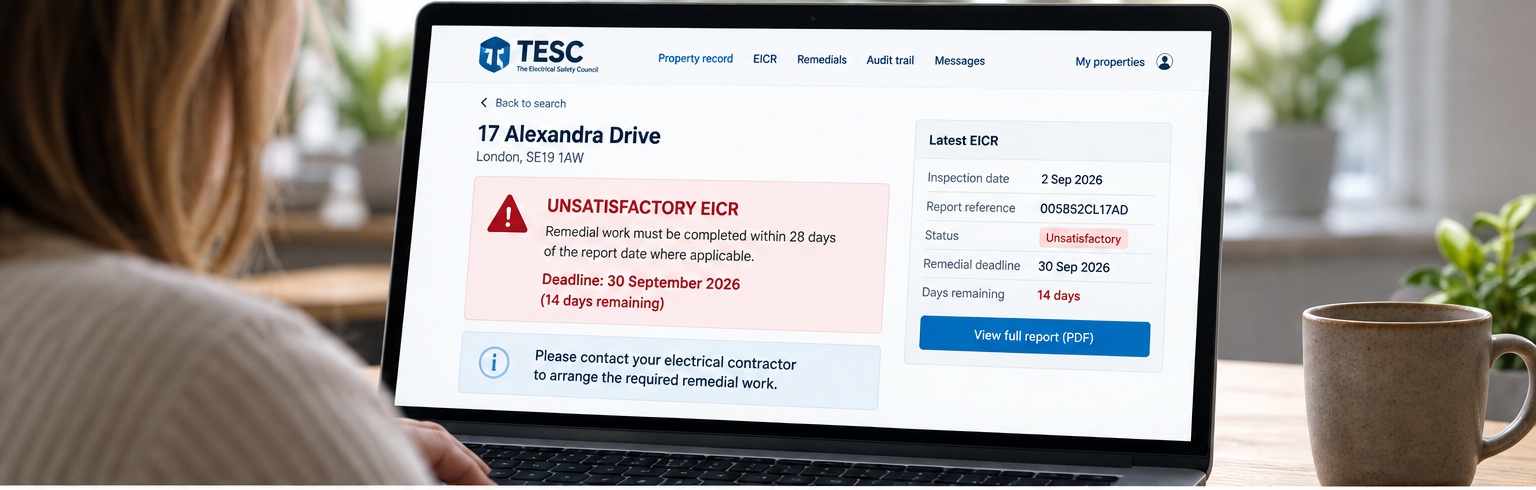
An unsatisfactory EICR remains visible against the property so authorised users can return to the record and follow later remedial updates.
Owners, landlords and managing agents can use the property PIN for initial verification. After activation, normal email and password login gives access to the properties linked to the account.
Open the property link supplied by your contractor and choose Create account.
Login to manage properties already linked to your account, or use the property link and PIN supplied by your contractor to activate a new one.